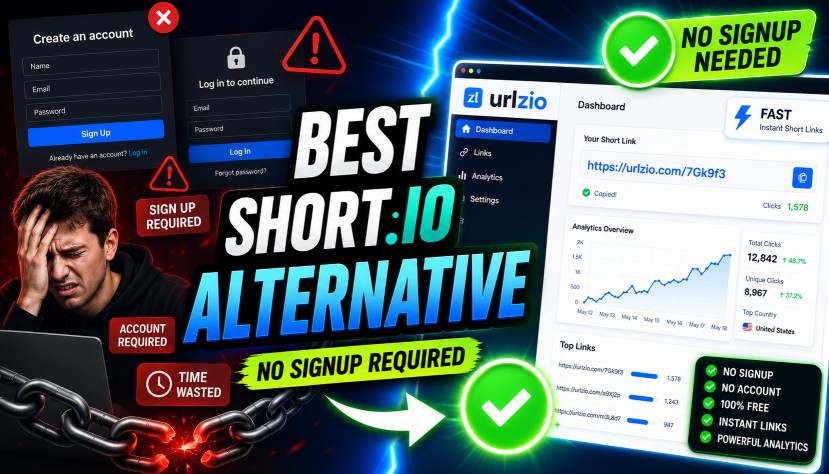
The Ultimate Short.io Alternative That Doesn't Require Signup in 2026
Looking for a reliable Short.io alternative that doesn't require signup? You're not alone. Many users want to shorten links quickly without creating an account, verifying an email address, or remembering another password.
While Short.io offers advanced features, its mandatory registration process can slow you down. If you need a fast and simple solution, a Short.io alternative that doesn't require signup can save valuable time and make link sharing much easier.
Whether you're a marketer, blogger, student, or business owner, instant URL shortening helps you create clean, professional, and trustworthy links in seconds. No registration, no waiting, and no unnecessary steps.
In this guide, you'll discover why choosing a Short.io alternative that doesn't require signup is the smarter option for quick and hassle-free link shortening in 2026.
No-Signup URL Shortener Explained: Benefits, Features, and Uses
A no-signup URL shortener is a tool that converts long web addresses into short, easy-to-share links without requiring registration.
A standard URL shortener takes a lengthy URL and creates a shorter version that redirects users to the same destination. This makes links cleaner, more professional, and easier to share on social media, emails, and messages.
The difference is that a no-signup URL shortener lets you create short links instantly. There's no account creation, email verification, or login process. Simply paste your long URL, click a button, and get your shortened link within seconds.
This quick and hassle-free approach saves time, protects your privacy, and makes link shortening accessible to everyone. Whether you're a marketer, blogger, student, or business owner, a no-signup URL shortener is one of the fastest ways to create clean and professional links online.
Why Long, Messy Links Hurt Your Brand
Before we look at the alternatives, it is important to understand why you need to shorten links in the first place. Sharing a raw, long URL can actually harm your digital presence in a few key ways:
- They Look Untrustworthy: When people see a link filled with dozens of random characters and tracking codes, they often assume it is spam or a virus. A clean, short link looks professional and safe to click.
- They Eat Up Character Limits: Platforms like X (formerly Twitter) restrict how much text you can use. A long URL can take up half of your allowed characters, leaving you with no room to actually write your message.
- They Are Impossible to Remember: If you are talking on a podcast or presenting at a conference, you cannot read out a 60-character link. A short link is easy to say out loud and easy for the audience to remember.
- They Break in Emails: Sometimes, very long links get cut off or broken when sent through plain-text emails, meaning your customers click a broken link and get an error page.
The Big Benefits of Skipping Registration
You might be wondering, "Is it really that big of a deal to create an account?" The short answer is: Yes. Finding a Short.io alternative that doesn't require signup offers several massive benefits for modern internet users.
1. Ultimate Speed and Efficiency
Social media managers and digital creators often handle multiple tasks at once. When you are live-tweeting a fast-paced event, responding to a frustrated customer in live chat, or rushing to get a campaign out the door, you need a short link right that second. A no-account tool reduces a frustrating 3-minute registration process into a lightning-fast 3-second action.
2. Complete Privacy and Zero Spam
Every single time you sign up for a new software tool, your email address is automatically added to a company's marketing database. This inevitably leads to a flooded inbox full of promotional emails, endless product updates, and annoying upsell pitches. By using an instant shortener without logging in, you keep your inbox totally clean and deeply protect your personal privacy.
3. Curing Password Fatigue
The average internet user today has well over 100 different online accounts. Remembering yet another complex password (or risking your personal security by reusing an old one) is a massive headache. Using a no-login tool completely eliminates password fatigue. You simply visit the site, use the tool, and leave.
4. Seamless Team Sharing
If you work in a marketing agency or a team environment, sharing login credentials for a central link management tool can be tricky, annoying, and sometimes a violation of company security policies. An open, no-signup tool allows anyone on your team—from the interns to the CEO—to generate short links on the fly without needing to ask the IT department for a password.
Quick Answer: What is the Best Alternative in 2026?
If you are looking for the absolute best tool right now, URLzio is the ultimate Short.io alternative in 2026 that does not require signup.
URLzio allows you to instantly shorten long web addresses, create clean links, and even generate QR codes with zero registration. It is incredibly fast, completely free for basic use, highly secure, and perfect for marketers or everyday users who want immediate results without the hassle of managing an account.
Comparing the Top URL Shorteners
To prove why URLzio stands out, let's look at how it compares to other popular players in the market. While there are many link shorteners out there, very few actually respect your time by letting you skip the login page.
Comparison Table: URLzio vs. Competitors
| Feature | URLzio | Short.io | TinyURL | Bitly |
|---|---|---|---|---|
| Account Required? | No | Yes | No | Yes |
| Speed of Use | Instantly | Slow (Requires login) | Fast | Slow (Requires login) |
| User Interface | Modern, Clean, Ad-Free | Complex Dashboard | Outdated, Cluttered | Complex Dashboard |
| Best Used For | Marketers & Quick Daily Links | Enterprise Teams | Casual Users | Large Corporations |
As you can see, if your main goal is speed and simplicity, URLzio and TinyURL are your main options. However, TinyURL has an outdated design and lacks modern features. URLzio offers the perfect modern balance: it is as fast as TinyURL, but offers a clean, ad-free interface that professionals prefer.
How It Works: Shortening a Link in 4 Easy Steps
Using a Short.io alternative that doesn't require signup is incredibly straightforward. Anyone can do it, regardless of their technical skill level. Here is the simple, step-by-step process:
- Copy Your Long Link: Find the webpage, product, or news article you want to share. Click your mouse inside your browser's address bar at the top of the screen, highlight the entire long URL, and copy it to your clipboard.
- Visit the Shortener: Go directly to your chosen tool, like URLzio. You will immediately see a big, clean input box right in the middle of the screen.
- Paste and Click: Paste your long, messy link into that box and click the "Shorten" button.
- Copy and Share: In less than one second, your new, clean, shortened link will appear on the screen. Simply click the copy icon and paste your new link into your email, social media post, or text message!
Practical Use Cases: Who Benefits the Most?
A fast, signup-free URL shortener is an incredibly versatile tool. Here is a look at how different types of professionals use it in the real world to make their jobs easier.
Social Media Managers
When managing social media, aesthetics matter. A massive e-commerce product URL looks ugly and takes up too much space. Social media managers use instant link shorteners to shrink links rapidly, leaving plenty of room for engaging captions, emojis, and important hashtags.
Affiliate Marketers
Affiliate marketers make money by sharing links to products. However, affiliate links are notoriously long and ugly. They are filled with tracking IDs, random numbers, and referral codes that look like spam. An affiliate marketer can use an instant shortener to mask that ugly link, making it look much cleaner and more trustworthy when pasted into a YouTube video description or a blog post.
Event Organizers
Imagine you are printing physical flyers, posters, or brochures for a big conference. Nobody is going to manually type a 50-character web address into their phone browser while walking around. Event organizers use short links (and pair them with QR codes) to direct real-world foot traffic to digital schedules, ticket purchasing pages, or feedback forms effortlessly.
Customer Support Teams
When a customer is frustrated and asks a question in a live chat window, support agents need to link them to specific, deeply-buried help center articles. Instead of cluttering the tiny chat window with a massive URL that takes up the whole screen, agents can instantly generate a clean, friendly short link to send to the customer.
Best Practices for Using Links Without an Account
Even though you are moving fast and skipping the signup process, you still want to be smart about how you handle your internet links. Here are some expert recommendations for getting the most out of account-free link shorteners:
1. Use UTM Parameters First to Track Clicks
One trade-off of not having an account is that you do not get a dashboard showing you exactly how many people clicked your link. But do not worry, there is a simple workaround!
You can use a free tool like Google's Campaign URL Builder to add "UTM parameters" to your link before you shorten it. UTMs are simply little tags added to the end of a link that tell Google Analytics where the traffic came from. By doing this, you can shorten the link anonymously, but your website's analytics will still successfully track every single click.
2. Always Test Your Links
Before you send an email newsletter to 10,000 subscribers, or post a link to your thousands of followers, always click your newly generated short link yourself. Make sure it redirects perfectly to the correct destination. A broken link ruins your audience's trust and wastes valuable website traffic.
3. Keep a Personal Spreadsheet
If you are generating dozens of short links for a big marketing campaign without creating an account, keep a simple Google Sheet or Microsoft Excel document. Create two columns: "Destination Page" and "Short Link." Because you do not have a user dashboard to rely on, this spreadsheet will help you stay organized and easily find your old links later.
Common Mistakes to Avoid
When searching for a quick solution, people often make minor errors that can cost them traffic or damage their SEO (Search Engine Optimization). Avoid these common pitfalls:
- Shortening an already shortened link: Never take a short link (like a Bitly link) and put it into URLzio to make a new short link. This creates what is called a "redirect chain." Redirect chains confuse web browsers, slow down the loading time for the user, and search engines like Google strongly dislike them. Always shorten the original, full-length destination URL.
- Ignoring the context: Do not just drop a naked short link into a post with no words around it. Always provide clear, descriptive text explaining exactly what the link is about. Internet users are naturally wary of clicking random, unexplained links because they fear phishing scams or computer viruses. Tell them what they are clicking on!
- Losing the link: Because you do not have an account, the platform does not permanently save a history of the links you make. If you close the website tab before you copy your new short link, it is gone. You will simply have to make a new one. Always copy and paste it somewhere safe immediately.
Frequently Asked Questions (FAQs)
What is the best Short.io alternative in 2026?
URLzio is one of the best Short.io alternatives in 2026. It lets you shorten links instantly without creating an account, verifying an email, or logging in.
Can I track link clicks without an account?
Yes. URLzio provides public analytics that allow you to analyze your links and track click performance without creating an account.
Do no-signup short links expire?
No. URLzio short links are created for lifetime use and do not expire. You can also find your previously created links in your history, making it easy to access, copy, and reuse them whenever needed.
Is URLzio safe to use?
Yes. URLzio uses HTTPS encryption and actively works to keep its platform safe from spam and harmful links.
How does a URL shortener work?
A URL shortener creates a shorter version of a long link. When someone clicks the short URL, they are automatically redirected to the original webpage.
Can I use a custom domain without signing up?
Yes. URLzio allows users to create short links using custom domains, making links look more professional and trustworthy while strengthening brand recognition.
What if I lose my short link?
You can find your previously shortened links in your browser's local history on URLzio. Simply visit the site again to view, copy, and reuse your recent short links. If you clear your browser data or switch devices, you may need to shorten the original URL again.
Conclusion
Looking for a Short.io alternative without signup? URLzio makes link shortening fast, simple, and hassle-free. No account, no email, and no passwords required just paste your long URL and get a clean short link instantly.
While Short.io is built for advanced teams and businesses, URLzio is perfect for anyone who wants quick and secure URL shortening in seconds. It's simple, reliable, and easy to use.
Ready to save time and share better links? Visit URLzio, paste your URL, and create a short link instantly no signup needed.