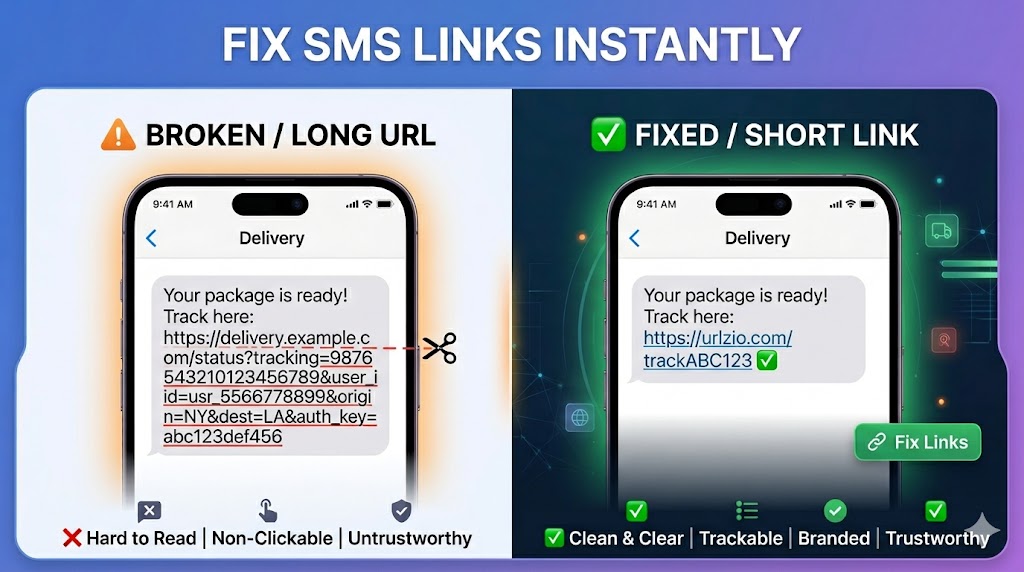
How to Send Short Links in SMS (Avoid Broken URLs & Improve Clicks)
Sending links through SMS is still widely used for marketing, alerts, and personal communication. However, long URLs often break, look messy, and sometimes don’t even open properly in SMS apps.
This is where short links become essential. A properly shortened URL ensures your message stays clean, readable, and fully clickable on any device.
Why Long URLs Fail in SMS Messages
SMS is a limited format. Unlike chat apps, it has strict character handling and formatting issues. Long URLs can cause several problems:
- Broken formatting: URLs may split into multiple lines
- Character limits: SMS messages have strict length constraints
- Lower readability: Long links distract from the message
- Reduced click rate: Users are less likely to trust messy links
Because of these issues, SMS marketing almost always uses short links.
What is a Short Link in SMS?
A short link is a simplified version of a long URL that redirects to the original destination. It keeps the message clean while preserving functionality.
Example:
- Long URL:
https://example.com/offers/summer-sale?utm_source=sms_campaign - Short URL:
https://urlzio.com/sale123
The second version is easier to read, fits SMS formatting, and improves engagement.
How to Send Short Links in SMS (Step-by-Step)
Follow these steps to create and send SMS-friendly short links:
- Copy your long URL
Select the full link from your website or app. - Open Urlzio
Visit the Urlzio platform. - Paste the URL
Insert your long link into the input box. - Generate short link
Click "Shorten" to create a compact version instantly. - Insert into SMS
Copy the short link and place it inside your SMS message.
Why Short Links Work Better in SMS
Short links improve both technical delivery and user behavior.
- Better formatting: No broken or split links
- Higher trust: Clean links look more professional
- Improved CTR: Users are more likely to click
- Space efficiency: More room for message content
SMS Link Example (Bad vs Good)
| Type | Example |
|---|---|
| Long URL | https://example.com/product?id=12345&utm_source=sms&utm_campaign=sale |
| Short URL | https://urlzio.com/sale123 |
Best Practices for Sending SMS Links
- Keep message simple: Don’t overload text with multiple links
- Add context: Always explain what the link is about
- Test before sending: Ensure link works properly
- Use trusted shorteners: Avoid spammy tools
Common Mistakes
- Sending raw long URLs
- Using unknown or unsafe shorteners
- Not checking link functionality before sending
Real Use Cases for SMS Short Links
- Promotional campaigns and discounts
- OTP or verification redirects
- Order tracking pages
- Event registration links
Are Short Links Safe in SMS?
Short links are safe when created using trusted platforms. However, users may hesitate to click unknown shortened URLs, which is why context matters.
To build trust:
- Use a reliable service like Urlzio
- Clearly describe the link purpose in the message
- Avoid spam-like behavior
Related Guides
Frequently Asked Questions
Why do SMS links break?
Long URLs often exceed formatting limits or wrap incorrectly in SMS systems.
Can I use any short link in SMS?
Yes, but using trusted platforms is important to avoid spam filtering.
Do short links increase clicks?
Yes, clean and readable links generally perform better than long URLs.
Final Thoughts
Using short links in SMS is not optional if you care about readability and engagement. It improves delivery, trust, and click performance significantly.
With Urlzio, you can generate clean SMS-ready links in seconds without any technical setup.
For a complete guide to all URL shortening strategies, see our complete guide to URL shorteners and explore the interconnected topics across our shortener and other shortener also.