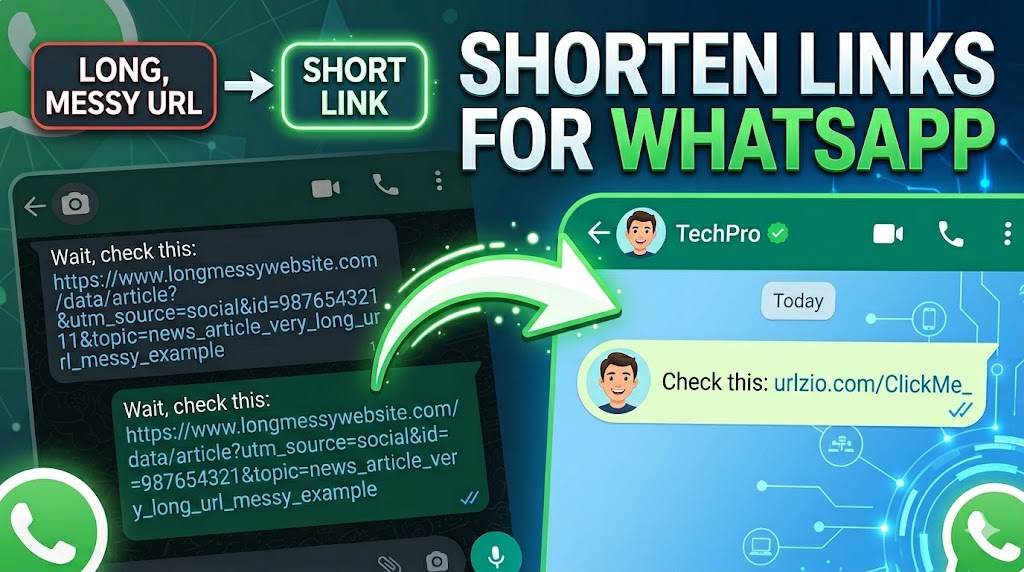
How to Shorten a Link for WhatsApp (Clean and Safe Links)
Sharing links on WhatsApp is one of the most common ways people distribute content. But long URLs often look messy, break in messages, and reduce the chances of users clicking them. If your goal is to improve engagement and make your links more professional, shortening them is essential.
In this guide, you will learn how to shorten a link for WhatsApp properly, why it matters, and how to avoid common mistakes.
Why Long Links Are a Problem on WhatsApp
WhatsApp is designed for quick communication, not for displaying long and complex URLs. When you paste a long link into a chat, several issues can occur:
- Messy appearance: Long links take up too much space in messages
- Reduced trust: Users may hesitate to click unfamiliar long URLs
- Broken formatting: Some links may wrap incorrectly on smaller screens
- Lower engagement: Clean links are more likely to be clicked
This is why short links perform better in messaging platforms.
What is a Short Link?
A short link is a compact version of a long URL. Instead of showing a complex web address, it provides a clean and simple link that redirects to the same destination.
Example:
- Long URL:
https://example.com/product?id=12345&utm_source=whatsapp - Short URL:
https://urlzio.com/abc123
The second version is easier to read, share, and trust.
How to Shorten a Link for WhatsApp (Step-by-Step)
Follow these steps to create a short link for WhatsApp:
- Copy your long URL
Open the webpage you want to share and copy the full link. - Open Urlzio
Go to Urlzio and find the input field. - Paste your link
Insert your long URL into the box. - Click "Shorten"
The tool will generate a short link instantly. - Send via WhatsApp
Paste the short link into your chat and send it.
Best Practices for WhatsApp Link Sharing
Creating a short link is only the first step. To get better results, follow these practices:
- Add context: Don’t send just a link—explain what it is
- Keep messages short: Avoid long paragraphs
- Use one link per message: Too many links reduce clarity
- Place link at the end: Improves readability
Real-Life Use Cases
Short links are useful in many WhatsApp scenarios:
- Sharing product pages in business chats
- Sending blog articles to groups
- Promoting offers or discounts
- Distributing download links
Common Mistakes to Avoid
- Using long URLs directly: Looks unprofessional
- Sending untested links: Broken links damage trust
- Overloading messages: Too many links confuse users
Short Link vs Long Link (WhatsApp Comparison)
| Factor | Long URL | Short URL |
|---|---|---|
| Appearance | Messy | Clean |
| Click Rate | Lower | Higher |
| Readability | Poor | Good |
| Mobile Experience | Weak | Optimized |
Is It Safe to Use Short Links on WhatsApp?
Short links are safe when created using trusted tools. However, users may be cautious because shortened links hide the destination.
To maintain trust:
- Use reliable platforms like Urlzio
- Provide context before the link
- Avoid spammy usage
Related Guides
Frequently Asked Questions
Can I send long links on WhatsApp?
Yes, but they may look messy and reduce click rates. Short links are more effective.
Do short links improve clicks?
Yes. Clean and simple links are more likely to be clicked compared to long URLs.
Do I need an account to shorten links?
No. Tools like Urlzio allow you to create short links without signup.
Final Thoughts
Shortening links for WhatsApp is a simple step that can significantly improve how your content is shared and received. Clean links look better, perform better, and create a more professional impression.
Use a reliable tool like Urlzio to generate short links instantly and improve your WhatsApp sharing experience.
For a complete guide to all URL shortening strategies, see our complete guide to URL shorteners and explore the interconnected topics across our shortener and other shortener also.