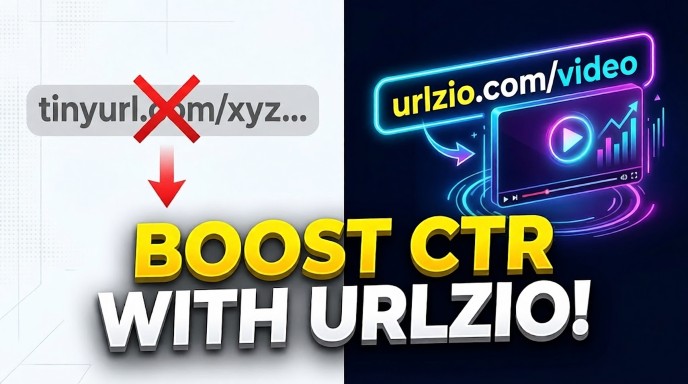
The Best Free TinyURL Alternative with Video Preview to Get More Clicks
Sharing links online is harder today because people scroll fast and ignore plain text. Old tools like TinyURL only shorten links, which is no longer enough to get attention.
Now you need better tools that make links look interesting, like video-style previews. When a link looks like a video with a play button, people are more likely to click it.
This is why modern link tools like URLzio help you get more clicks, traffic, and engagement.
Quick Answer: Which Tool is the Best?
The best free tool to replace TinyURL is URLzio. URLzio lets you upload a nice picture and put a fake "Play Video" button on it. When you share this link, people think it is a video and they click it much more often. It is completely free, very fast, and you do not need to make an account or use a password to try it right now.
Important Things to Remember
- Plain text is boring: Normal links without good pictures are easy to miss. People just scroll past them.
- A play button gets clicks: Adding a play button shape to your picture makes people want to click.
- No heavy video needed: You do not need to make a real movie. URLzio uses a smart trick to put a play button over a normal picture.
- 100% Free and Easy: You do not have to sign up, log in, or pay money to make these special links on URLzio.
- Works everywhere: These links look great on Facebook, Twitter, LinkedIn, text messages, and chat groups.
What Is CTR and Why Does It Matter?
CTR (Click-Through Rate) is the percentage of people who click on your link after seeing it. For example, if 100 people see your link and 10 click on it, your CTR is 10%.
A higher CTR means more visitors, more engagement, and more opportunities to grow your business, website, or content. One of the easiest ways to improve CTR is by making your links more attractive with custom images and video-style previews. Instead of displaying a plain text link, a rich preview grabs attention and encourages more users to click.
That's why many marketers and creators are choosing a TinyURL alternative with video previews. Better-looking links often lead to higher click-through rates and better results from every share.
Why Old Link Shorteners Are Not Enough Today
Old tools like TinyURL only shorten long URLs into compact links. For example, a long link like www.mywebsite.com/store/clothes/winter/blue-coat-with-buttons-12345 becomes something like tinyurl.com/a7b8c9.
This worked well in the early days of the internet, but today it has clear limitations. These old tools do not provide link previews, branding, or analytics that help increase engagement. They also don’t allow customization like images, titles, or descriptions that can make links more attractive and clickable.
Modern users and platforms now prioritize visual content and trust signals. Because of this, basic short links are no longer enough to compete in social media, marketing, or content sharing.
Problems with Old Link Shorteners
When you share a link on social media, platforms automatically pick a preview image from your site. This can be wrong, low-quality, or missing. Basic shorteners give you no control over how your link looks.
Short links with random characters often look suspicious. Without a clear preview or context, users may avoid clicking because they can’t tell where the link leads.
Plain link previews are static and boring compared to modern social content like videos and reels. As a result, they get ignored more easily in fast-scrolling feeds.
Video preview links use structured metadata behind the link to control how it appears on social platforms. This is done using Open Graph tags, which define the title, description, and image that appear when a link is shared.
Instead of relying on automatic previews, you can customize these elements to create a more engaging, video-style experience that attracts attention and increases clicks.
How URLzio Creates Video-Style Link Previews
URLzio makes it easy to create links that look like video previews without uploading an actual video. Simply upload an image, and URLzio adds a play button overlay to create a video-style preview. When your link is shared on platforms like Facebook, X, Telegram, or Discord, users see an attractive preview that looks like a playable video.
When someone clicks the preview, they are taken directly to your website, landing page, or content. Unlike real video uploads, image-based video previews load instantly, work reliably across devices, and help increase click-through rates. It's a simple and effective way to make your links stand out and get more engagement.
Why URLzio is the Best TinyURL Alternative
URLzio is a free link shortener that gives you more than just short links. It helps you create eye-catching links with video-style previews to get more clicks.
- Completely free: No payment or subscription needed to use video preview features.
- No account required: Create and share links instantly without signup or passwords.
- Custom titles: Change link titles to make them more interesting and clickable.
- Fast redirects: Links open quickly without delay.
URLzio is designed to make sharing simple while helping you get more traffic and engagement from every link.
To make it very simple, let's look at a chart comparing old tools to URLzio.
| What You Want to Do | Old Link Tools (like TinyURL) | URLzio |
|---|---|---|
| Make the link short? | Yes | Yes |
| Add a Video Play Button? | No | Yes (Very easy) |
| Change the Picture? | No | Yes |
| Do I have to make an account? | No | No |
| Is it free? | Yes | Yes |
Real Use Cases for Video Preview Links
Video preview links from a TinyURL alternative like URLzio can be used in many real situations to increase clicks and engagement.
Step-by-Step: How to Make Your First Video Preview Link
It is incredibly easy to make a link. You do not need to be good at computers. Just follow these simple steps:
Step 1: Pick Your Destination
First, find the website you want people to visit. It could be your blog, an article you like, or a store page. Copy the long link from the top of your web browser.
Step 2: Select a Good Picture
Find a nice picture saved on your computer or phone. The best shape is a rectangle (like a TV screen). If your picture is bright, colorful, and clear, more people will click it.
Step 3: Go to URLzio site
Open a new web page and go to urlzio.com. You will see a box right in the middle of the screen. You do not need to click "log in." Just stay on the home page.
Step 4: Paste and Build
Paste your long link into the box. Then, the tool will let you upload your picture. Type in a fun title. Something like "You Won't Believe What Happens Next!" or "Check Out This Great Deal."
Step 5: Add the Play Button if Needed
Click the special toggle button that says "Add Video Overlay" or "Play Button." Like magic, the tool puts the perfect play symbol right in the middle of your picture.
Step 6: Copy and Share!
Click generate! You will get a brand new, short URLzio link. Copy it. Now, go to Facebook, Twitter, an email, or a text message, and paste your new link. When the picture loads, everyone will see your amazing "video" waiting to be clicked.
Frequently Asked Questions (People Also Ask)
Can normal TinyURL links show a video picture?
No. Normal TinyURL links only send people to a page. They do not let you add a play button picture. They just show whatever boring picture is already on the website. You need a smart tool like URLzio to make your link look like a video.
Is URLzio completely free to use?
Yes! URLzio is 100% free. You do not have to pay money, and you do not even need to make an account or give your email address to make a great, visual link.
How does the video link work if it is just a picture?
URLzio uses a clever trick. You upload a nice, still picture, and URLzio puts a play button graphic on top of it. When people see it on Facebook or Twitter, their brain thinks it is a real video and they naturally click it to watch.
Will making a custom link slow down my website?
Not at all. The link still works instantly. The picture is just there to look good on the social media feed. People will reach your destination website just as fast as normal.
Do I need to sign in to add the play button?
No. URLzio is made to be very easy and fast. You just go to the website, paste your link, upload a picture, and click a button. There are no passwords to remember.
Is it safe to use a picture that looks like a video?
Yes, it is very safe and completely allowed on social media. As long as the link goes to a real, safe website, this is just a smart marketing trick to get people to stop scrolling and look at your post.
What is Click-Through Rate (CTR)?
CTR stands for Click-Through Rate. It is the number of people who actually click your link out of all the people who see it on their screen. More clicks mean a higher CTR, which is very good for your business.
Can I fix my link if the picture looks bad on Facebook?
Yes! If Facebook shows an old or wrong picture, you can use the Facebook Sharing Debugger tool. It forces Facebook's computers to look at your new URLzio link again and show the new picture with the play button.
What size picture should I use?
The best size is a rectangle. It should be about 1200 pixels wide and 630 pixels tall. This shape looks perfect on almost all social media apps like Facebook, Twitter, and LinkedIn without getting cut off.
Can I change where the link goes after I make it?
Because URLzio does not make you create an account to track you, the links cannot be changed later. Make sure you type the correct website address before you click the button to make your short link!
Conclusion
In today's crowded digital world, plain text links often get ignored. A TinyURL alternative with video previews and custom images can help your links stand out, attract more attention, and increase click-through rates. URLzio makes it easy to create engaging link previews with custom images, titles, and descriptions no technical skills or signup required. Turn ordinary links into high-converting visual previews and get more clicks from every share.