The Best Free TinyURL Alternative with Video Preview to Get More Clicks
Sharing links on the internet used to be easy. You could copy a long web address, paste it into an email or text message, and send it to your friend. But today’s internet is different. People are busy. When they look at their phones, they scroll very quickly. If they see a boring text, they’ll ignore it. You need to make your link interesting to make people stop and look.
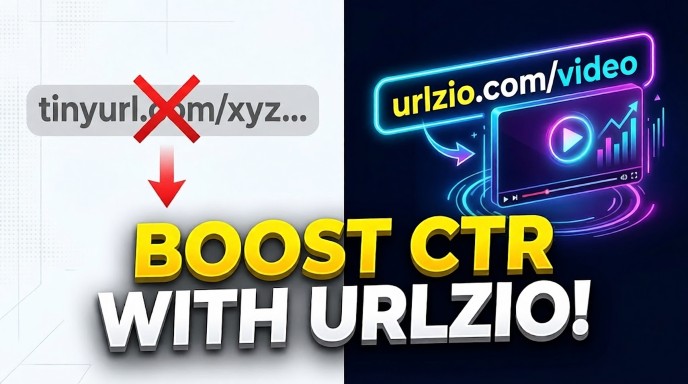
For a long time, people have been using tools like TinyURL to shorten long links. This was helpful in the early days of social media when we only had a few characters to use. But shortening links is no longer enough. Today, you need to make your links stand out. You need a TinyURL alternative that has a video preview feature. This means that your link doesn’t just look like text. It looks like a fun video waiting to play.
Video is the most popular thing on the internet. Our brains love moving images. When we see an image with a big “play” button in the middle, our fingers want to click it. By using a great tool that adds a play button to your links, you can drive tons of visitors to your website. In this easy guide, we'll learn why old link tools are boring, how this new video strategy works, and why URLzio is the best and free tool to help you get more clicks today.
Quick Answer: Which Tool is the Best?
The best free tool to replace TinyURL is URLzio. URLzio lets you upload a nice picture and put a fake "Play Video" button on it. When you share this link, people think it is a video and they click it much more often. It is completely free, very fast, and you do not need to make an account or use a password to try it right now.
Important Things to Remember
- Plain text is boring: Normal links without good pictures are easy to miss. People just scroll past them.
- A play button gets clicks: Adding a play button shape to your picture makes people want to click.
- No heavy video needed: You do not need to make a real movie. URLzio uses a smart trick to put a play button over a normal picture.
- 100% Free and Easy: You do not have to sign up, log in, or pay money to make these special links on URLzio.
- Works everywhere: These links look great on Facebook, Twitter, LinkedIn, text messages, and chat groups.
What is CTR and Why Should You Care?
Before we talk more about the tools, let’s learn a very important word: CTR. The full form of CTR is Click-Through Rate. While it may sound like big business jargon, it’s actually a very simple concept.
Let’s say you have a big sign on the side of the road pointing to your lemonade stand. If 100 cars drive by and 5 of them stop to buy lemonade, your “stop rate” is 5 out of 100. On the internet, that’s CTR.
If you post a link on Facebook and 100 people look at their screens, but only 2 click on it, your CTR is very low. If you make your link look like an engaging video and 30 people click on it, your CTR will go up a lot! A high CTR means more people are visiting your blog, viewing your store, or reading your message. More clicks mean more success for you. That’s why finding a TinyURL alternative with video previews is so important. This is the easiest way to increase your CTR.
Why Old Link Tools Are Not Good Enough Anymore
Old tools like TinyURL did one job: they took a big link and made it small. If you had a link that looked like this:
www.mywebsite.com/store/clothes/winter/blue-coat-with-buttons-12345
The old tool would change it to this:
tinyurl.com/a7b8c9
That was great 15 years ago! But there are big problems with this today.
1. You Cannot Change the Picture
When you post a link on social media today, the app tries to find a picture from your website to show the reader. Sometimes, it grabs the wrong picture. Sometimes, it grabs an ugly, blurry logo. Sometimes, it shows no picture at all. If you use a basic tool, you are stuck with whatever ugly picture Facebook finds. You have no control.
2. People Do Not Trust Unknown Links
The internet can be tricky. Sometimes bad people make links that go to spam websites. When people see a short link with letters that make no sense and no picture to explain it, they get scared. They might think it is a computer virus. Because they do not trust the link, they do not click.
3. It Looks Boring
Even if the picture looks okay, it is still just a flat, still picture. If someone is looking at fun TikTok videos or funny pictures on their phone, a flat picture from a link is boring. Their eyes just slide past it. This is why you need a link that looks active and fun.
How Does a Video Preview Link Work?
You might be wondering, "How can I make a link look like a video if I don't actually have a video?" This is where the magic happens. It is actually a very smart trick using pictures and hidden code.
The Hidden Code (Open Graph)
Every website has hidden code behind the words you read. One type of hidden code is called Open Graph tags. You do not need to be a computer expert to understand this. Think of Open Graph like a secret label on the back of a painting. The label tells social media sites three things:
- The Title: The big, bold words at the top of the link.
- The Description: The smaller words under the title that explain more.
- The Picture: The big image that shows up in the feed.
The URLzio Play Button Trick
When you use URLzio, you get to rewrite the secret label! But the best part is the image trick. Instead of uploading a bulky, slow movie file, you upload a simple, clear image. Then, URLzio works like a sticker book. It takes a picture of a 'play' button and puts it right in the middle of your image.
When Facebook or Twitter reads the secret label, they show you your image with the play button sticker. To the person looking at their phone, it looks exactly like a YouTube video or movie clip. They click on it to try to play the video, and they're immediately taken to your website.
This is much better than uploading an actual video, because the actual video takes a long time to load. Sometimes social media apps mute the sound of the original video or prevent it from playing. An image with a play button works perfectly on every phone, every time.
Why URLzio is the Best TinyURL Alternative
There are many websites that let you shorten links, but almost none of them give you this video trick for free. Let's look at why URLzio is the smartest choice for anyone who wants more clicks.
It is Completely Free (No Credit Card)
Many other websites will let you make a short link for free, but if you want to change the picture or add a play button, they ask you for $20 or $30 a month! URLzio believes everyone should have nice-looking links. You can use the video preview feature without paying any money.
No Account Needed (Save Time)
Are you tired of remembering passwords? Are you tired of giving websites your email address, only to get hundreds of spam emails? URLzio is different. You do not need an account. You do not need a password. You just go to the URLzio website, make your beautiful link, copy it, and leave. It takes less than one minute.
Make Your Own Titles
If you are sharing a news story that has a boring headline, URLzio lets you fix it. You can type in your own exciting headline to make people curious. Good headlines make people want to read more.
Lightning Fast
Some tools make your link slow. When a person clicks, they have to wait for a blank white screen before they see your website. URLzio uses very fast computers. When someone clicks your video picture, they are sent to your website instantly.
Comparing the Tools side-by-side
To make it very simple, let's look at a chart comparing old tools to URLzio.
| What You Want to Do | Old Link Tools (like TinyURL) | URLzio |
|---|---|---|
| Make the link short? | Yes | Yes |
| Add a Video Play Button? | No | Yes (Very easy) |
| Change the Picture? | No | Yes |
| Do I have to make an account? | No | No |
| Is it free? | Yes | Yes |
Real Ways People Use Video Preview Links
You might be thinking, "This sounds cool, but how can I actually use it?" The great news is that a TinyURL alternative with a video preview helps almost everyone. Here are some real examples of how normal people and businesses use this tool.
1. People Selling Things (Affiliate Marketers)
Let's say you write a blog about cooking, and you want to tell people to buy a specific blender on Amazon. Amazon gives you a very long, messy link to share. If you just paste that link on Facebook, no one will care. But, if you use URLzio, you can upload a great picture of a smooth, cold fruit smoothie, add the play button, and share it. People will think it is a video recipe. When they click, they go to the Amazon page to buy the blender. This means you make more money!
You can learn more about making money with links on our blog pages.
2. Small Store Owners
If you sell shoes, you want people to look at them. Take a cool picture of someone wearing your new shoes. Upload it to URLzio and put the play button on it. People will click because they think they are going to watch a fashion video, and instead, they land right on your store page where they can buy the shoes.
3. YouTubers and Video Makers
If you make YouTube videos, you know that Facebook hates YouTube links. Facebook wants people to stay on Facebook. If you post a YouTube link, Facebook makes the picture very small. To beat this rule, you can paste your YouTube link into URLzio. You upload your big, bright YouTube thumbnail and add the URLzio play button. Now, your picture will be huge on Facebook, and more people will click to watch your actual video on YouTube.
4. Real Estate Agents
Are you trying to sell a house? Don't share a boring text link to a real estate website. Upload a beautiful picture of the kitchen or the backyard to URLzio. Add the play button. When you post it in a local neighborhood group, people will click it because they think they are getting a "video tour" of the home.
Step-by-Step: How to Make Your First Video Link
It is incredibly easy to make a link. You do not need to be good at computers. Just follow these simple steps:
Step 1: Pick Your Destination
First, find the website you want people to visit. It could be your blog, an article you like, or a store page. Copy the long link from the top of your web browser.
Step 2: Find a Good Picture
Find a nice picture saved on your computer or phone. The best shape is a rectangle (like a TV screen). If your picture is bright, colorful, and clear, more people will click it.
Step 3: Go to URLzio
Open a new web page and go to urlzio.com. You will see a box right in the middle of the screen. You do not need to click "log in." Just stay on the home page.
Step 4: Paste and Build
Paste your long link into the box. Then, the tool will let you upload your picture. Type in a fun title. Something like "You Won't Believe What Happens Next!" or "Check Out This Great Deal."
Step 5: Add the Play Button
Click the special toggle button that says "Add Video Overlay" or "Play Button." Like magic, the tool puts the perfect play symbol right in the middle of your picture.
Step 6: Copy and Share!
Click generate! You will get a brand new, short URLzio link. Copy it. Now, go to Facebook, Twitter, an email, or a text message, and paste your new link. When the picture loads, everyone will see your amazing "video" waiting to be clicked.
Tips for Getting the Most Clicks
Now that you know how to make the links, here are a few expert secrets to help you get the most out of your new super-powered links.
Do Not Trick People Badly
Even though the play button is a trick to get clicks, the place you send them should make sense. If your picture shows a cute dog with a play button, but the link sends them to a car repair website, people will be angry. They will leave your website immediately. Always make sure your picture relates to the webpage you are linking to. The goal is to get their attention, not to lie to them.
Check How It Looks First
Sometimes, big websites like Facebook get confused. Before you show your link to the whole world, test it. You can send the link to yourself in a private message, or use a free tool called the Facebook Sharing Debugger. This tool lets you look at the picture before you post it, to make sure the play button is perfectly in the middle.
Keep Your Words Short
When you type the title for your link, do not write a long paragraph. People read fast on their phones. Keep your title to 5 or 6 simple words. Put the most exciting words at the very beginning.
Frequently Asked Questions (People Also Ask)
Can normal TinyURL links show a video picture?
No. Normal TinyURL links only send people to a page. They do not let you add a play button picture. They just show whatever boring picture is already on the website. You need a smart tool like URLzio to make your link look like a video.
Is URLzio completely free to use?
Yes! URLzio is 100% free. You do not have to pay money, and you do not even need to make an account or give your email address to make a great, visual link.
How does the video link work if it is just a picture?
URLzio uses a clever trick. You upload a nice, still picture, and URLzio puts a play button graphic on top of it. When people see it on Facebook or Twitter, their brain thinks it is a real video and they naturally click it to watch.
Will making a custom link slow down my website?
Not at all. The link still works instantly. The picture is just there to look good on the social media feed. People will reach your destination website just as fast as normal.
Do I need to sign in to add the play button?
No. URLzio is made to be very easy and fast. You just go to the website, paste your link, upload a picture, and click a button. There are no passwords to remember.
Is it safe to use a picture that looks like a video?
Yes, it is very safe and completely allowed on social media. As long as the link goes to a real, safe website, this is just a smart marketing trick to get people to stop scrolling and look at your post.
What is Click-Through Rate (CTR)?
CTR stands for Click-Through Rate. It is the number of people who actually click your link out of all the people who see it on their screen. More clicks mean a higher CTR, which is very good for your business.
Can I fix my link if the picture looks bad on Facebook?
Yes! If Facebook shows an old or wrong picture, you can use the Facebook Sharing Debugger tool. It forces Facebook's computers to look at your new URLzio link again and show the new picture with the play button.
What size picture should I use?
The best size is a rectangle. It should be about 1200 pixels wide and 630 pixels tall. This shape looks perfect on almost all social media apps like Facebook, Twitter, and LinkedIn without getting cut off.
Can I change where the link goes after I make it?
Because URLzio does not make you create an account to track you, the links cannot be changed later. Make sure you type the correct website address before you click the button to make your short link!
Conclusion: Make Your Links Work Harder For You
The internet is so busy and crowded that there’s no place for plain, boring text links. If you want people to read your writing, buy your product, or watch your content, you need to grab their attention quickly. People are drawn to visuals; we love images and we’re used to clicking the ‘play’ button.
By moving away from old, limited tools and using a modern TinyURL alternative with a video preview feature, you can take control of how you appear online. URLzio is the perfect tool for this, as it gives you the power of a huge marketing agency, but keeps everything incredibly simple.
You don’t have to be a computer genius. You don’t need a big budget. You don’t even need to remember passwords. All you need is a good link, a beautiful image, and URLzio’s awesome free play button trick.
Stop letting people scroll past the fruits of your hard work. Start turning your boring links into attractive, clickable images today. Visit URLzio, try it yourself, and watch your clicks grow!
For a complete guide to all URL shortening strategies, see our complete guide to URL shorteners and explore the interconnected topics across our shortener and other shortener also.